
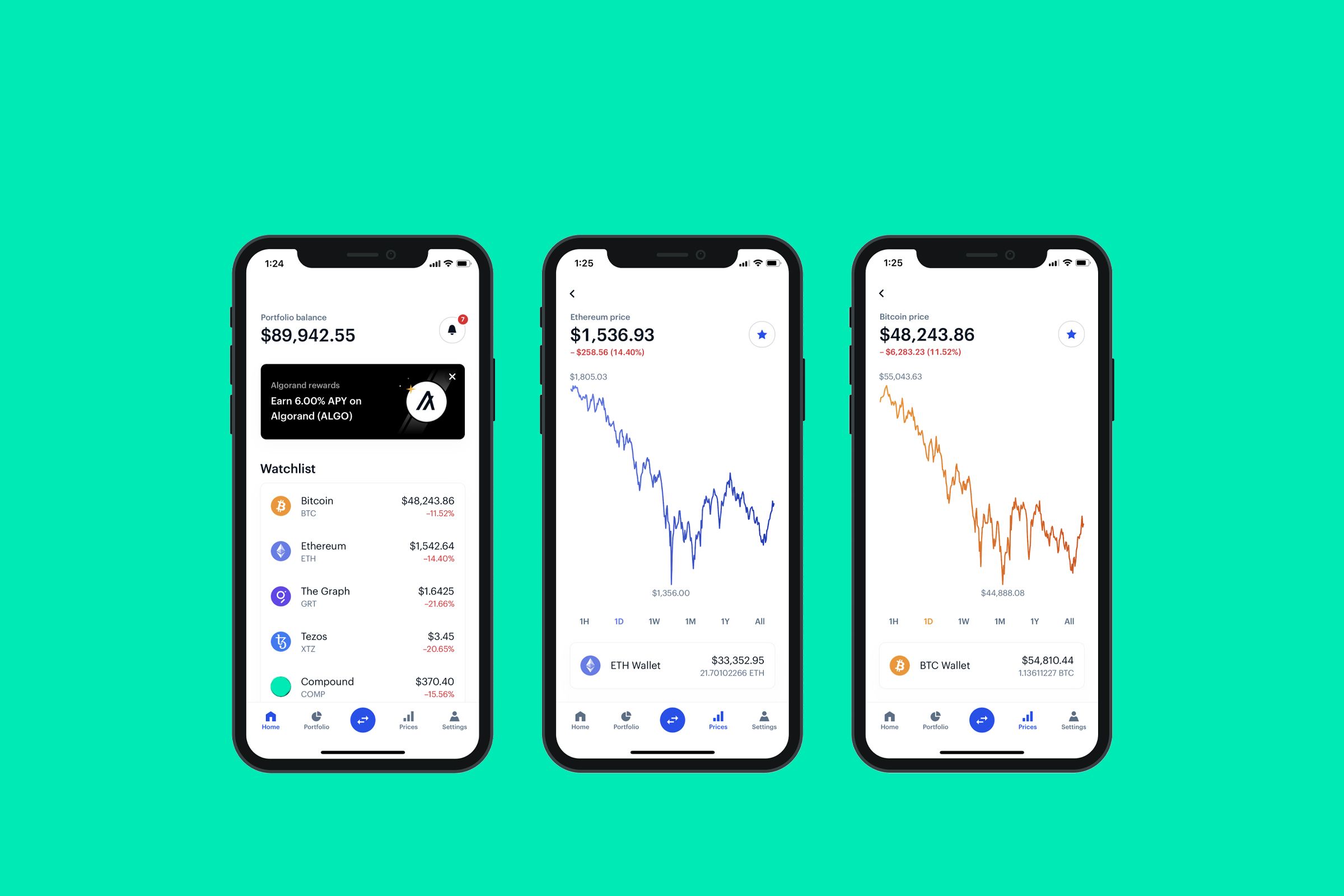
How we picked the best crypto mobile wallet 2026
Selecting a mobile wallet requires balancing convenience with the absolute necessity of security. In 2026, the landscape is defined by non-custodial solutions where you retain sole control of your private keys. We prioritized wallets that offer robust self-custody without sacrificing the ability to interact with decentralized finance (DeFi) protocols. Our evaluation focused on three core pillars: security architecture, user experience, and DeFi compatibility.
Security is the foundation. We examined how each wallet handles seed phrase storage, biometric authentication, and transaction signing. Wallets like MetaMask and Trust Wallet were evaluated for their transparency and open-source verification processes. A secure mobile wallet must protect your assets against phishing and malware, ensuring that your keys never leave your device unencrypted.
User experience determines daily usability. We tested interface responsiveness, fee estimation accuracy, and support for multiple networks. A wallet that is difficult to use often leads to user error, which can result in lost funds. We favored intuitive designs that clearly display transaction details and network fees before confirmation.
DeFi compatibility is essential for modern crypto users. The best wallets seamlessly connect to decentralized exchanges, lending platforms, and NFT marketplaces. We verified that each recommended wallet supports major protocols and offers smooth in-app browser experiences. This functionality allows users to trade, stake, and manage assets without leaving the mobile environment.
For those seeking maximum security, we also recommend pairing mobile wallets with hardware solutions. Hardware wallets provide an additional layer of protection for long-term holdings.

As an Amazon Associate, we may earn from qualifying purchases.
MetaMask: Best for Ethereum and DeFi Power Users
MetaMask remains the standard interface for Ethereum and its Layer 2 networks, including Arbitrum, Optimism, and Base. For users deeply embedded in the DeFi ecosystem, the wallet provides direct access to decentralized exchanges like Uniswap, lending protocols such as Aave, and NFT marketplaces without requiring third-party bridges. The mobile app mirrors the browser extension’s functionality, allowing users to manage portfolios and interact with dApps on the go.
The platform operates as a non-custodial solution, meaning you retain full control of your private keys and seed phrase. This structure eliminates the risk of a centralized exchange freezing your funds, but it also places the burden of security entirely on the user. MetaMask supports a wide range of tokens and allows users to import custom RPC endpoints for niche chains, making it the most flexible option for technical users.
While the interface is powerful, the sheer number of supported networks can be overwhelming for newcomers. The wallet’s built-in swap feature often carries higher fees than executing trades directly on a decentralized exchange. For serious DeFi participation, many users pair MetaMask with a hardware wallet like Ledger or Trezor to sign transactions securely.


As an Amazon Associate, we may earn from qualifying purchases.
Trust Wallet: Best for multi-chain diversity
Trust Wallet has established itself as a leading choice for users who hold assets across multiple networks. Backed by Binance, the wallet supports over 100 blockchains, allowing you to manage a wide variety of tokens without needing separate applications for each network. This multi-chain capability makes it particularly useful for those navigating the fragmented landscape of DeFi and cross-chain bridges.
The platform’s interface is designed to handle this complexity without overwhelming the user. You can swap tokens directly within the app, stake assets for yield, and interact with decentralized applications (dApps) across different chains. Trust Wallet offers zero staking fees for supported networks, a significant advantage for users looking to maximize returns on their holdings. With over 220 million users, it has proven its reliability and scalability in a high-stakes environment.
When comparing Trust Wallet to other popular options like MetaMask, the difference lies in scope. While MetaMask is primarily Ethereum-focused with limited native support for other chains, Trust Wallet provides a more unified experience for multi-chain portfolios. This makes it easier to track your total net worth and manage transactions across diverse ecosystems.
| Feature | Trust Wallet | MetaMask |
|---|---|---|
| Supported Chains | 100+ | Ethereum + L2s |
| Staking Fees | $0 | Variable |
| DApp Browser | Yes | Yes |
| Multi-Chain Swap | Yes | Via 3rd Parties |
Coinbase Wallet: Best for beginners and fiat on-ramps
Coinbase Wallet is a non-custodial mobile application designed to bridge the gap between traditional finance and decentralized assets. Unlike the main Coinbase exchange app, this wallet gives you exclusive control over your private keys, meaning you are solely responsible for the security of your assets. It is widely recognized as an accessible entry point for users who prioritize ease of use without sacrificing the core principles of self-custody.
The platform’s primary advantage lies in its seamless integration with the Coinbase exchange. Users can instantly purchase crypto with fiat currency on the main exchange and transfer it directly to their mobile wallet. This streamlined on-ramp process eliminates the friction of complex external transfers, making it a practical choice for those who want to buy Bitcoin or Ethereum and then interact with DeFi protocols or NFT marketplaces with minimal technical overhead.
Security remains a serious consideration. While the interface is user-friendly, the non-custodial nature means there is no customer support to recover lost passwords or private keys. The app supports biometric authentication and integrates with hardware wallets like Ledger for added protection, but users must diligently backup their seed phrases. For beginners, this requires a disciplined approach to security, as losing access to your recovery phrase results in the permanent loss of your funds.


As an Amazon Associate, we may earn from qualifying purchases.
Pair a hardware wallet for maximum security
Using a mobile app alone leaves your keys exposed to malware and phishing. The most secure approach is to pair your mobile interface with a hardware wallet. This setup lets you sign transactions on the device, keeping private keys offline while you still enjoy the speed of mobile DeFi.
1. Connect the device
Start by installing the companion app for your hardware wallet. Ledger Live works with Ledger devices, while Tangem offers a dedicated app for its card-based hardware. Ensure your phone’s Bluetooth is enabled if the device supports wireless connection, or use NFC for Tangem cards. Keep the firmware updated before pairing.
2. Link to your mobile wallet
Open your mobile wallet app, such as MetaMask, Trust Wallet, or Coinbase Wallet. Navigate to settings and select "Connect Hardware Wallet." The app will detect your device. Authorize the connection on the hardware device itself. This step verifies that the mobile app cannot access your keys without your physical approval.
3. Sign transactions securely
When you send crypto or interact with a DeFi protocol, the transaction details appear on your mobile screen. Verify every detail, including the recipient address and gas fees. Then, physically press the buttons on your hardware wallet or tap your Tangem card to the phone. The signature happens on the device, and the signed data is sent back to the blockchain.


As an Amazon Associate, we may earn from qualifying purchases.
Frequently asked questions about mobile wallets
Is a mobile wallet safe for long-term storage?
Mobile wallets are convenient for daily transactions and DeFi interactions, but they are not ideal for long-term storage. Because they are connected to the internet, they are more vulnerable to hacking and malware than hardware wallets. For large holdings, use a cold storage solution like the Ledger Flex to keep your private keys offline.
Which mobile wallet is best for beginners?
Trust Wallet is often recommended for beginners because it supports over 100 blockchains and charges zero staking fees. Its interface is intuitive, making it easier to navigate than MetaMask for new users. Coinbase Wallet is also a strong option for those who want a familiar, regulated experience.
What crypto should I hold in 2026?
Ripple (XRP) is gaining significant adoption among financial institutions and is considered one of the best crypto tokens to invest in 2026. It is currently trading near $1.35, with analysts noting that a daily close above $1.40 could stabilize its market structure.
Can I use MetaMask for DeFi?
Yes, MetaMask is the leading non-custodial wallet for decentralized finance (DeFi). It allows you to interact directly with decentralized applications (dApps) on networks like Ethereum and Polygon. However, you are responsible for securing your seed phrase, as MetaMask cannot recover your account if it is lost.
Do mobile wallets support staking?
Many mobile wallets, including Trust Wallet, support direct staking. This allows you to earn rewards on assets like SOL or ATOM without moving them to an exchange. Always check the specific fees and lock-up periods for each asset before staking.

As an Amazon Associate, we may earn from qualifying purchases.
No comments yet. Be the first to share your thoughts!